How it works
From first set to recovered.
Four steps, the same every session. Here is what happens at each one.
-
 01
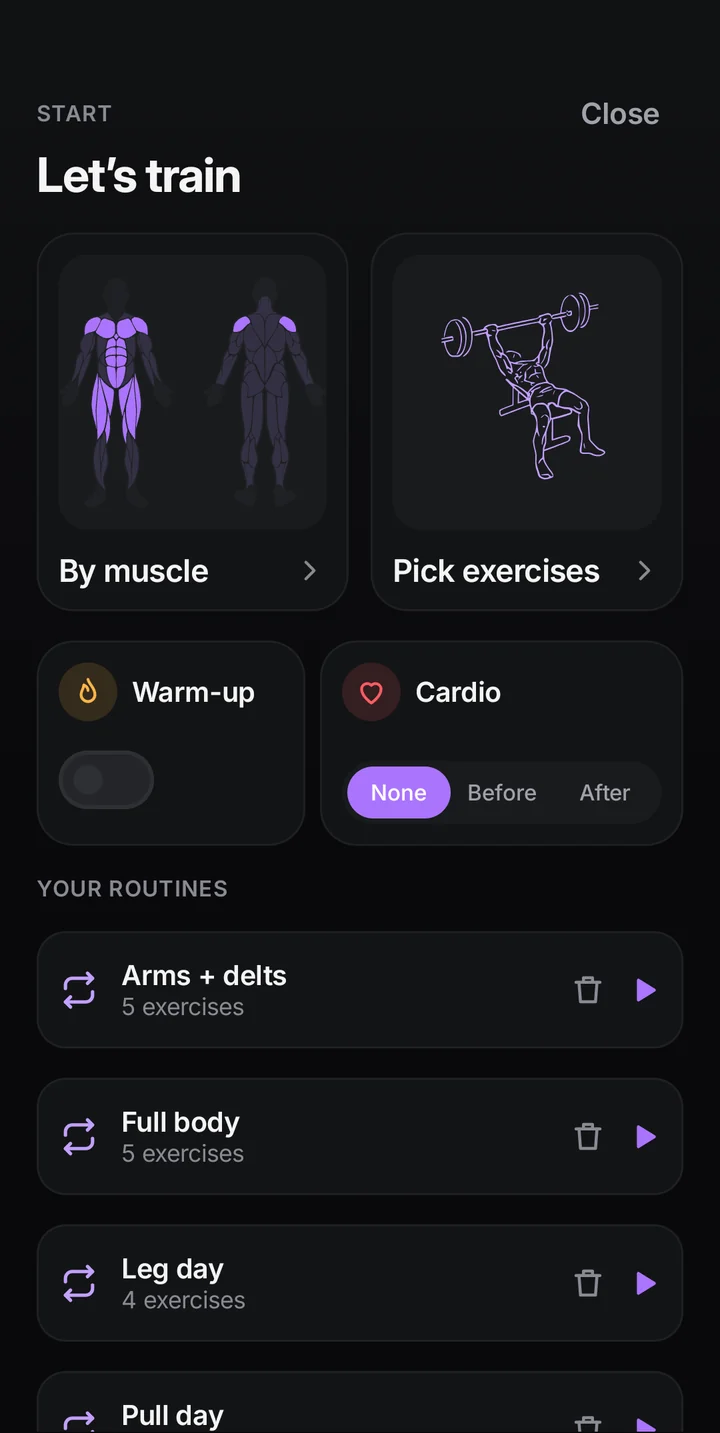
Pick your focus
Start by muscle, pick exercises yourself, or open one of your routines. By muscle shows a front and back body map; OwnGym finds exercises from 448 guided moves.
- Front and back body map
- Muscles still recovering are marked
- Or start from a routine or a blank session
-
 02
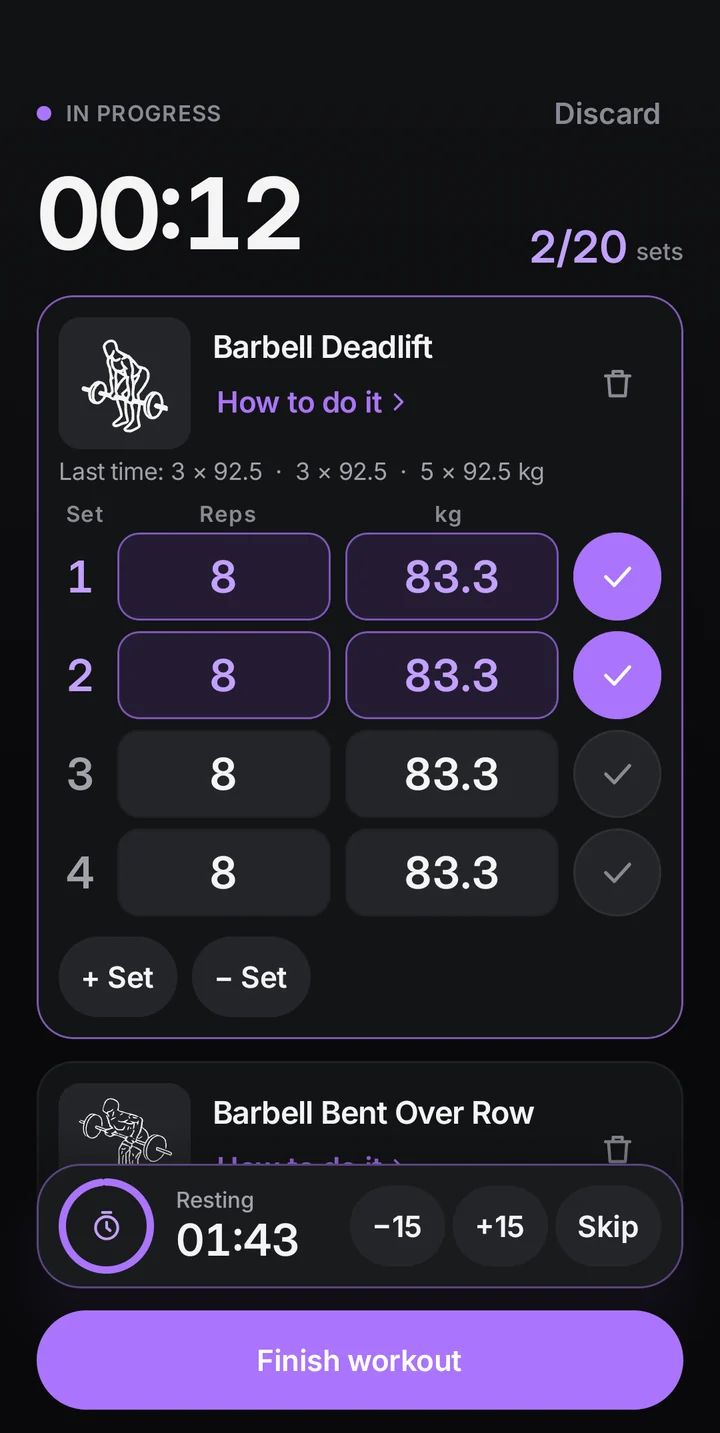
Log in two taps
Your last weights and reps carry over. Adjust with the steppers if you need to, tick the set, and the rest timer starts on its own.
- Steppers for weight and reps, in kg or lb
- Rest timer with −15 s, +15 s and skip
- Warm-up, cardio and timed sets
-
 03
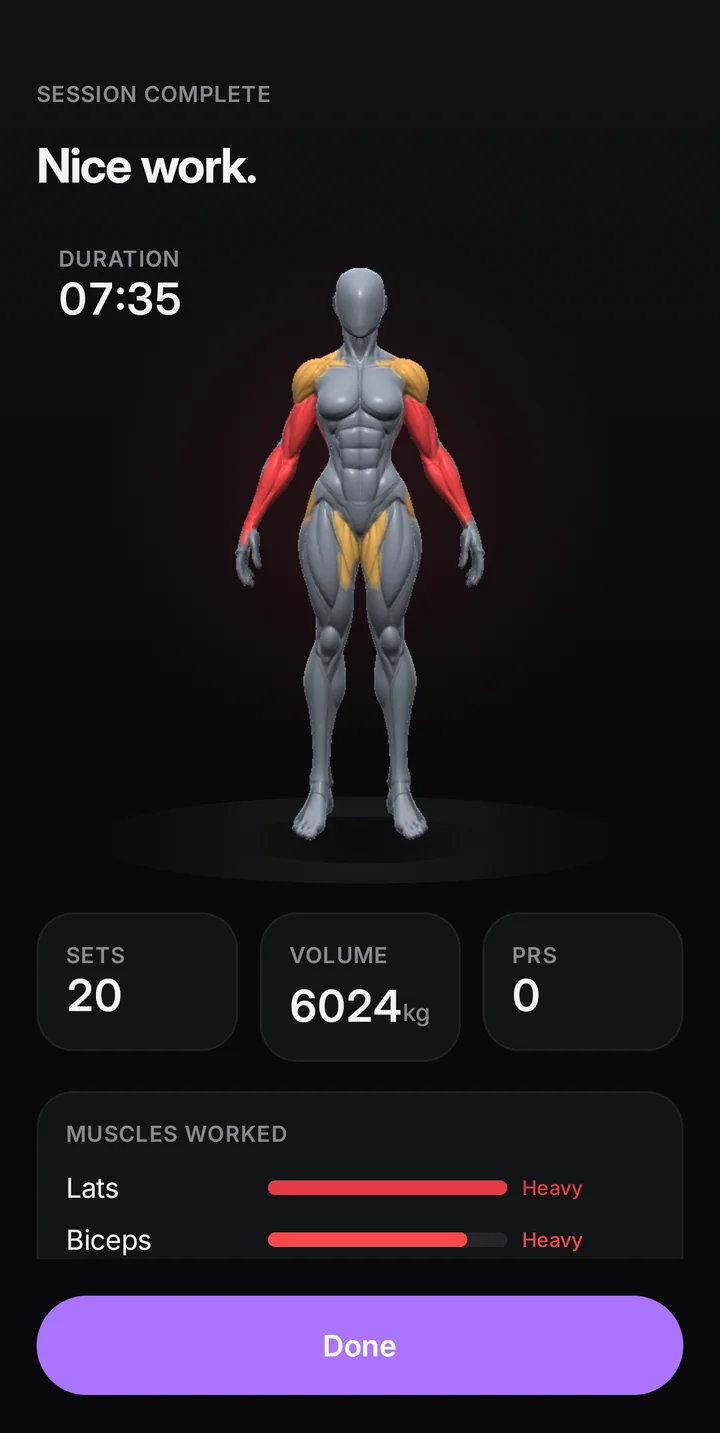
Watch it land
Finish the session and every muscle you trained lights up on your 3D twin. Main muscles take the full load, helpers take half.
- A summary of what you trained
- New personal records flagged
- Badges for real milestones
-
 04
Recover on time
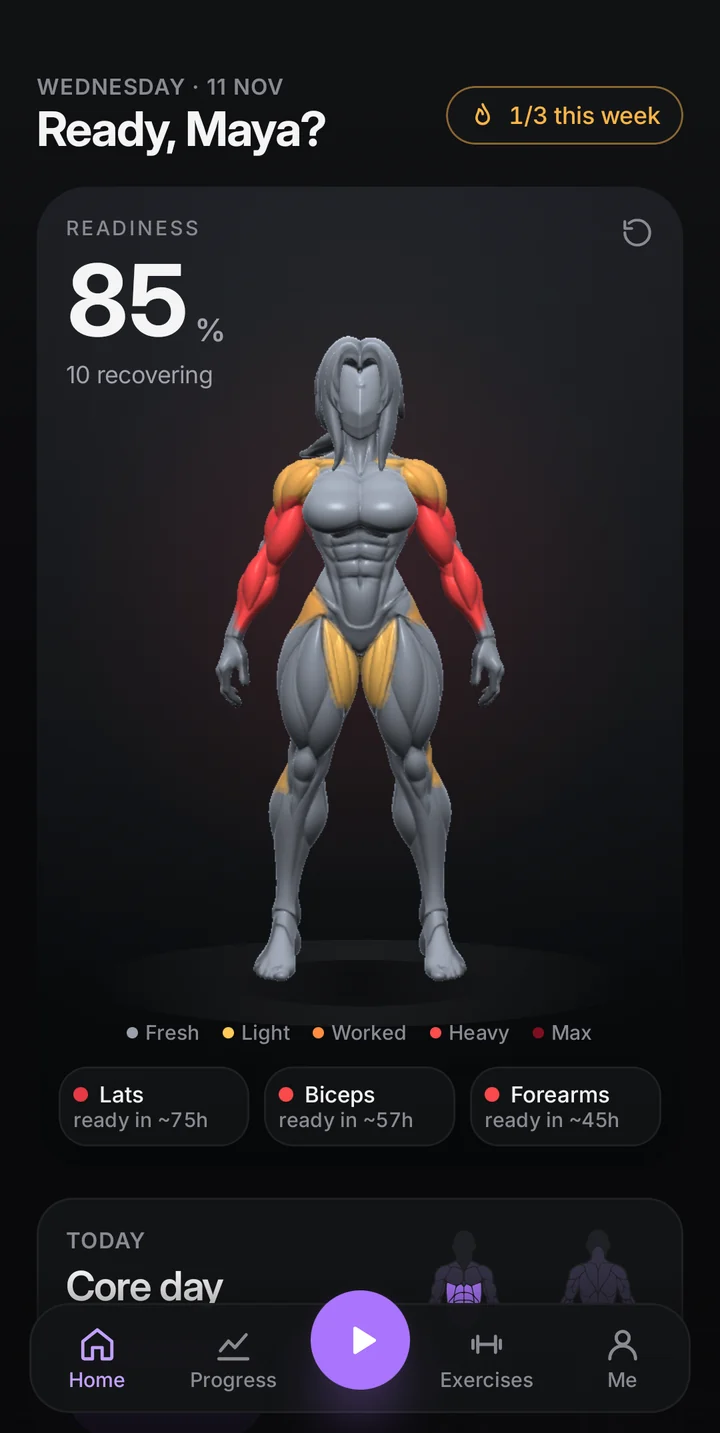
Colours fade as each muscle recovers at its own pace. Home shows your readiness and which muscles are ready for the next session.
- Readiness score on Home
- Hours until each muscle is fresh
- Training heatmap and streaks
Also in the box
Works offline
Logging, the twin and your history need no signal.
No account
Open the app and train. Nothing to sign up for.
Routines
Save a session as a routine with suggested loads.
Import
Bring your history from your old gym app.
Backups
Export everything to one file and restore it.
Reminders
An optional daily nudge at your training time.
Questions
Is OwnGym free?
Yes. OwnGym is free on Google Play, with no ads and no account.
Does it work without internet?
Yes. Logging, the 3D twin, your history and records all work offline. Exercise pictures download once when you are online.
Can I bring my workouts from another app?
Yes. Import a backup or CSV export from your old gym app during setup or later from Settings.
How does the twin know what I trained?
Every exercise lists the muscles it trains. Each working set adds load to them; harder sets count more and warm-ups do not count.
Which phones does it run on?
Android 8.0 or newer. On older or smaller phones the twin switches to a lighter mode so the app stays smooth.