
Plans, effort and your own backups
Coming in the next Play update: ready-made programs, RPE and supersets, a lock-screen rest timer, Drive backup, Health Connect and Hindi.
- Ready-made programs, 5/3/1 included
- RIR/RPE, drop sets and supersets
- Rest timer on the lock screen
- Google Drive backup and Health Connect
- Hindi, and a home-screen widget
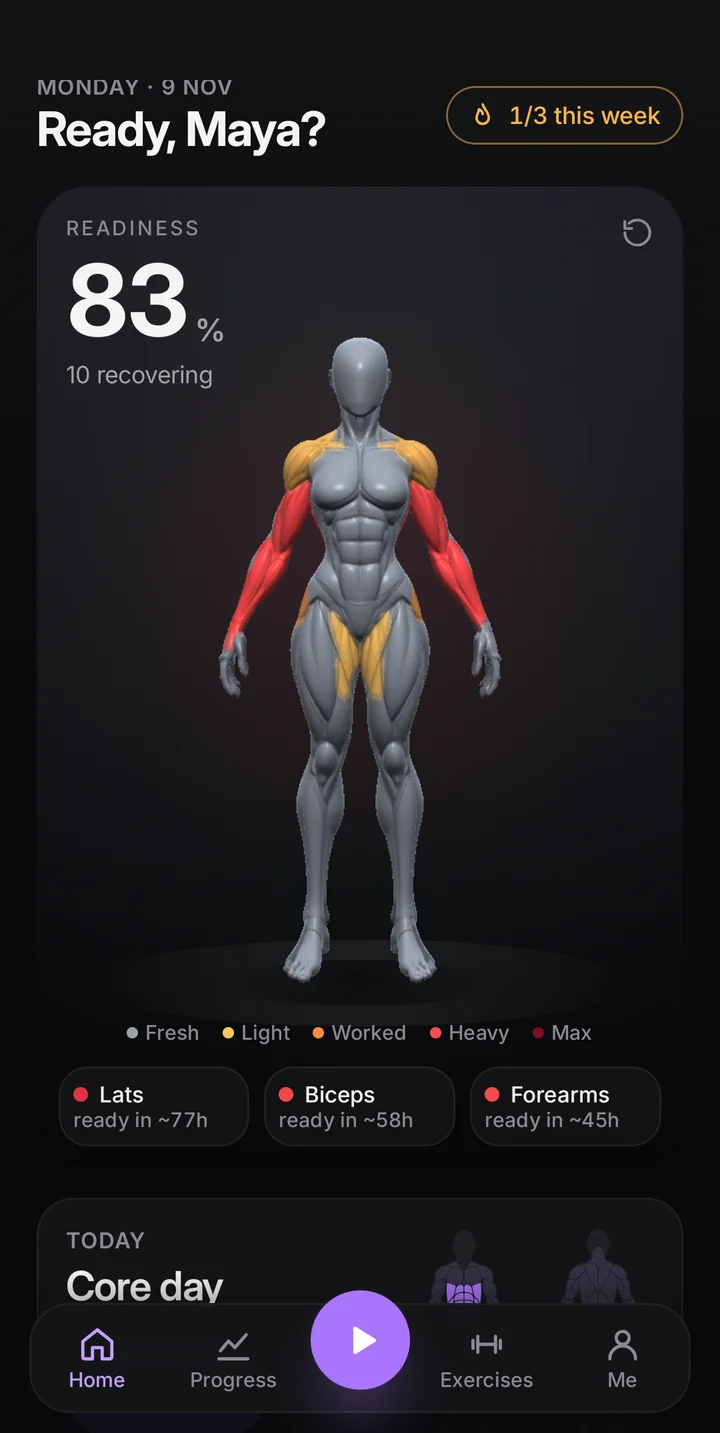
Coming in the next update
This version is in testing and goes to Google Play next.
Train with a plan
- Programs. Beginner full body, push/pull/legs, upper/lower and 5/3/1 become routines in one tap. Weights go up on their own, and 5/3/1 works out each set from your training max.
- Effort. Log reps in reserve or RPE per set, add drop sets and link exercises into supersets. In a superset the rest starts after the round.
- Hard sets per muscle. Progress shows this week’s hard sets for every muscle against a target, warns when push outweighs pull and suggests a lighter week when you need one.
Made for where you train
- Home without kit. The library and every suggestion show only what is possible at your active place. A pull-up needs a bar and a leg press its machine, so nothing you cannot do shows up. One tap removes the filter.
- Any body twin. Pick the male or female twin whatever your profile says; the animated guides follow it.
Between sets and after
- Lock-screen rest timer with −15 s, +15 s and Skip, so the phone can stay locked.
- Home-screen widget: readiness, today’s workout and one tap to start.
- Share card with your coloured twin for stories.
- Measurements and progress photos, side by side, kept on your phone only.
Your data, your accounts
- Google Drive backup. Daily by default (or weekly or monthly) to a hidden folder in your own Drive. Pick any backup to restore, from this phone or another.
- Health Connect. Workouts and bodyweight shared with your phone’s health data. Off until you turn it on.
- Hindi. Every screen in Hindi (exercise names stay in English); it follows your phone’s language or the per-app language setting.